Design the index around questions
Start with the questions a reviewer needs to answer: what requirement is being addressed, what implementation is claimed, which systems are covered, and what supports the conclusion? Give every record enough context to answer those questions without a separate meeting.
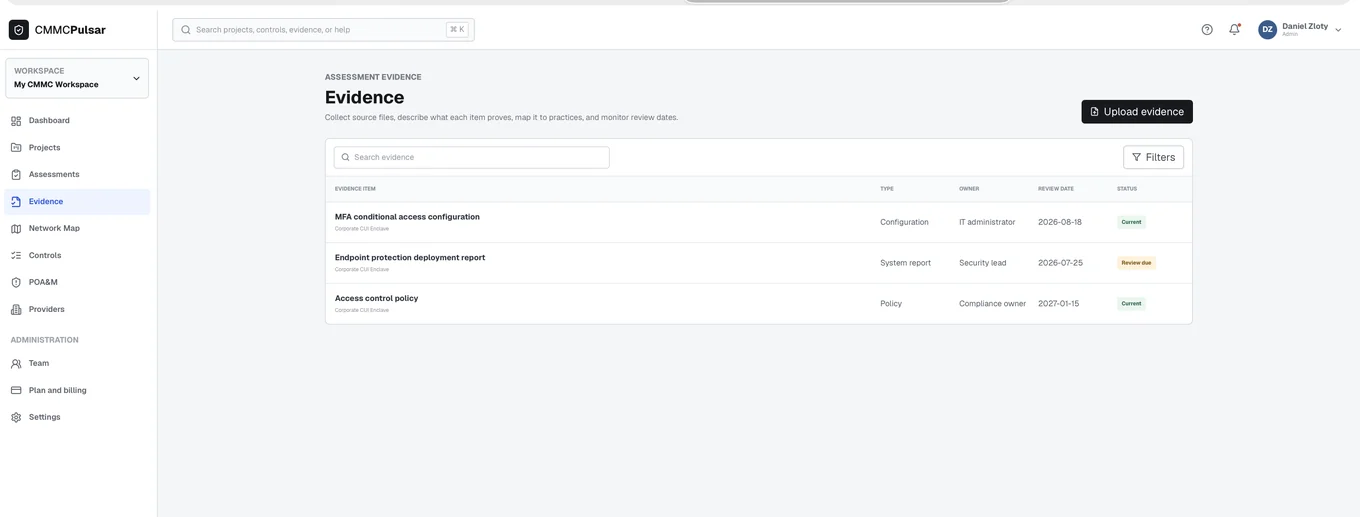
Useful fields include a stable identifier, requirement or objective reference, short description, system or population covered, date or period, responsible person, review status, and storage reference. Avoid treating the number of attachments as a readiness score. One well-explained record can be more useful than many unrelated screenshots.
Explain the limits of each record
A screenshot captures a view at a point in time. A policy describes an intended or approved approach. An operational record may show that an activity occurred. Those records can complement one another, but they do different jobs.
For a fictional access review, a screenshot of one account does not show the permissions of every user. State what was reviewed, how the review was performed, and what conclusion the record supports. Use the applicable assessment objectives to decide whether additional examination, interview, or testing is needed. Make uncertainty visible instead of hiding it behind an attachment label.
Control versions and access
Use references to approved storage where possible, with permissions appropriate to the information. Avoid emailing a broad evidence bundle merely because it is convenient. Keep the index itself controlled if it exposes sensitive system names, architecture, personnel information, or operational details.
When a record changes, preserve enough version context to understand which assessment or review used it. Mark superseded material clearly and follow the organization’s retention obligations. A current file and a historical review record may both be legitimate; the index should help the reader distinguish them.
Test the index before exporting
Ask a teammate to follow a few requirements using only the implementation statements and index. Note where they cannot identify the system, understand the conclusion, locate the record, or tell whether a gap remains. Improve those explanations before assembling a larger packet.
The SSP, evidence, and POA&M guide explains how the records relate. CMMC Pulsar can help organize supporting material beside control work, while the organization remains responsible for reviewing the content and protecting the underlying information.
Sources & further reading
- NIST SP 800-171A, June 2018: assessment procedures ↗
- NIST SP 800-171 Revision 2 and SSP resources ↗
- 32 CFR 170.15: Level 1 self-assessment ↗
Published October 24, 2026. Government and company references were checked while preparing this page. General information and practical workflow suggestions; confirm the requirements and services that apply to your organization.